
On This Page
Property Management Maintenance Automation: Intake, Routing, Updates, and Escalation
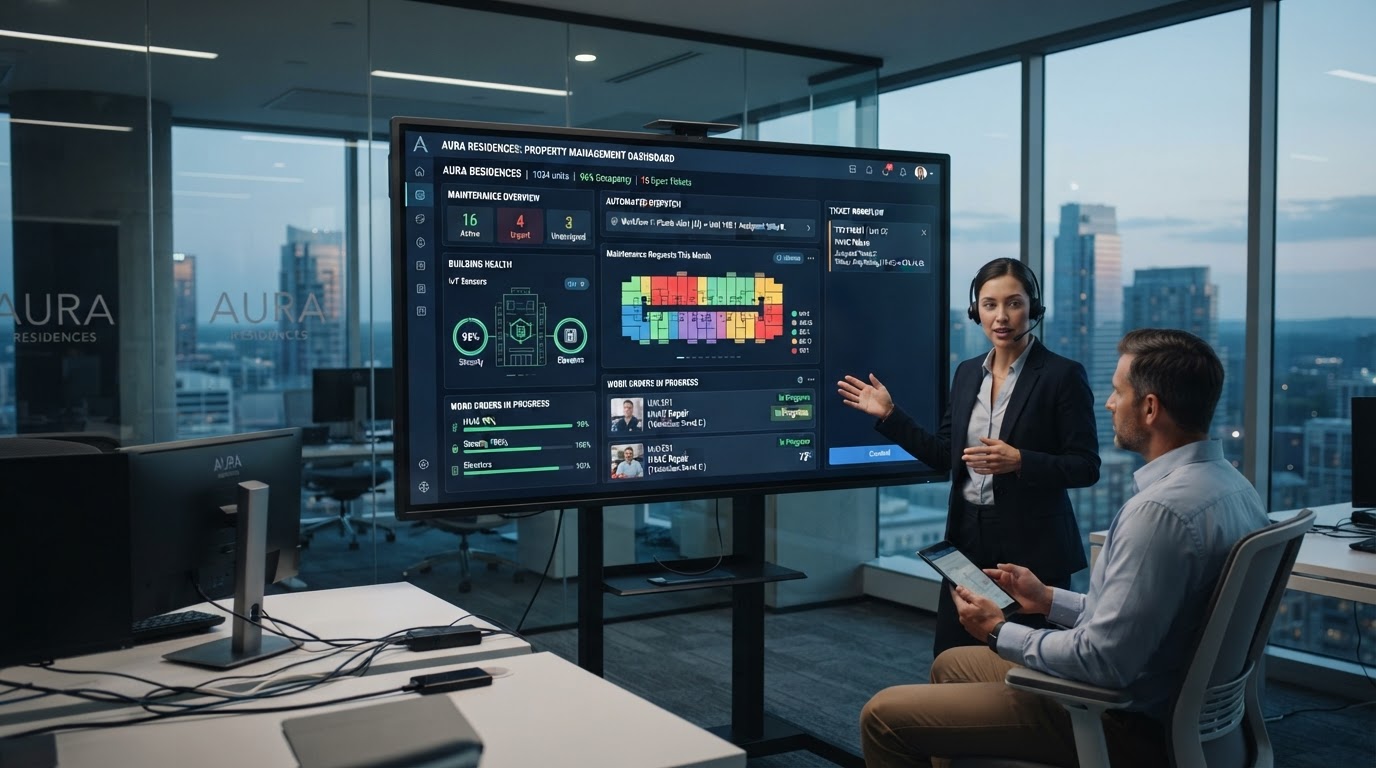
Property managers live in a state of constant interruption. A tenant reports a leaky faucet, another emails about a broken dishwasher, a third calls about heating that's not working — and each one needs to be triaged, routed to a technician, tracked, and communicated about until resolved. The manual version of this process is a full-time job for a property manager handling 50+ units, and it's where most tenant dissatisfaction originates: not from the maintenance issue itself, but from the communication gap — the tenant doesn't know when the technician is coming, whether the part is ordered, or when the issue will be resolved. After automating maintenance workflows for property management companies, the pattern is clear: automate the intake, routing, and communication, and the property manager's time shifts from data entry to actual management. This guide covers the specific workflows — intake, routing, updates, and escalation — that make property management maintenance run like a system, not a crisis.
01The Maintenance Intake Problem
Property managers receive maintenance requests through every channel — phone, email, tenant portal, text message — and each one needs to be manually entered into the work order system, triaged by urgency, and routed to a technician. A property manager handling 100 units typically spends 15–20 hours per week on maintenance intake and routing alone — time that could be spent on tenant retention, lease renewals, and property acquisition if the process were automated.
The cost isn't just the time — it's the communication gap. Tenants submit a request and hear nothing for days. They follow up by phone, interrupting the property manager, who has to check the status with the technician, who has to check the status of the part order — a chain of phone calls that wastes everyone's time and frustrates the tenant. The tenant who doesn't know when their issue will be resolved is the tenant who leaves a negative review, doesn't renew their lease, and tells their friends not to rent from you.
Automating maintenance intake starts with a single entry point — a tenant portal or a dedicated phone number/SMS line — that captures every request in a structured format: unit number, issue category (plumbing, electrical, HVAC, appliance, structural), urgency level, and description. The automation triages by urgency: emergencies (water leak, no heat in winter, electrical hazard) are flagged for immediate response; standard issues enter the normal routing queue. The lead response time automation framework's triage pattern applies directly — the same sub-60-second acknowledgment that works for sales leads works for maintenance requests, with the urgency routing as the high-priority variant.
02Technician Routing and Assignment
Once a maintenance request is triaged, it needs to route to the right technician — and in most property management operations, this is a manual process that delays resolution by hours or days. The automation pattern: the system routes based on three factors: the issue category (plumbing issues go to the plumber; electrical to the electrician), the technician's availability (who has an open slot in their schedule), and the property location (which technician is closest). The routing is rules-based and instant — the moment a request is submitted, the right technician is notified.
For property managers with in-house maintenance staff, the routing goes to the staff member with the right skills and availability. For those using third-party contractors, the routing sends a job notification to the right contractor with the work order details, property access instructions, and a deadline for completion. The contractor accepts or declines via SMS or a portal, and the acceptance updates the work order status automatically — no phone tag, no manual status checks.
The routing should account for tenant preferences where possible: some tenants request specific windows (not before 9am, not during work hours, only on Tuesdays), and the routing should respect these preferences by default unless the issue is an emergency. This is a detail that distinguishes a good property management system from a great one — the tenant who feels their preferences are respected is the tenant who renews their lease. The CRM and pipeline automation service documents the routing architecture that supports preference-based assignment.
03Automated Status Updates: The Communication Gap Solver
The single highest-impact automation for tenant satisfaction is status updates. Tenants don't need the issue resolved instantly — they need to know what's happening. An automated update at each stage of the maintenance workflow transforms the experience: 'Your maintenance request has been received and assigned to [technician]. We expect to complete the repair by [date].' Then: 'The technician is on the way — they'll arrive between [time].' Then: 'The repair is complete — here's what was done and how to reach us if you have questions.'
These updates eliminate the inbound status-check calls that consume property manager time and frustrate tenants. The tenant who receives proactive updates is the tenant who doesn't call to ask 'has anyone been assigned yet?' — and the property manager who doesn't field those calls reclaims hours per week. According to Apartment List's renter survey, communication is the #1 factor in tenant satisfaction with property management — ahead of even the speed of the repair itself.
The update sequence should cover the full lifecycle: request received → technician assigned → technician en route → repair in progress → repair complete → satisfaction follow-up. Each update is automated based on the work order status in the CRM, triggered by the technician updating the status (via mobile app or SMS). The tenant receives updates via their preferred channel — SMS for most, email for those who opt in. The automation monitoring best practices framework covers the status-tracking architecture that makes these updates reliable.
Automate Maintenance Intake, Routing, and Updates
We build maintenance request workflows that capture, categorize, route, and update tenants automatically — so your staff stops playing phone tag and requests stop falling through the cracks.
04Escalation Workflows: When Issues Don't Resolve
Not every maintenance request resolves on the first attempt — and the escalation workflow is what prevents a small issue from becoming an emergency. The escalation pattern: if a work order isn't marked complete within a set SLA (24 hours for standard, 4 hours for urgent), the system escalates: the property manager is notified, the technician is pinged for a status update, and if no response within another set interval, the issue is re-routed to a different technician or escalated to the maintenance supervisor.
Escalation also applies to tenant dissatisfaction. If a tenant responds to a satisfaction follow-up with a low rating, the system escalates the issue to the property manager for personal follow-up. This catches dissatisfaction before it becomes a negative review or a non-renewal. The property manager calls the tenant, resolves the concern, and the follow-up is logged — creating a closed loop that prevents small issues from compounding into lost tenancy.
The emergency escalation is the highest-stakes variant: a water leak, no heat in winter, or a safety issue (broken lock, electrical hazard) must be handled within hours, not days. The automation flags these as emergencies at intake, routes them to the on-call technician immediately, and if no response within 30 minutes, escalates to the property manager's phone — not email. The emergency routing is the same high-priority pattern we describe in the contractor lead automation guide for emergency triage — the architecture is identical, just applied to maintenance instead of sales.
05Vendor and Contractor Management Automation
Property managers who use third-party contractors — plumbers, electricians, HVAC techs — spend significant time managing the vendor relationship: scheduling, confirming, following up on invoices, and tracking performance. Automating vendor management starts with a vendor database in the CRM: each contractor has a profile with their specialties, service area, availability, rate card, and performance history (response time, completion rate, tenant satisfaction).
When a work order is routed to a vendor, the automation sends the job details via SMS or portal, the vendor accepts or declines, and the acceptance updates the work order. The vendor marks the job complete via SMS or app, and the completion triggers an automated satisfaction follow-up to the tenant. If the tenant rates the vendor poorly, the system flags the vendor for review — and if the pattern recurs, the vendor is deprioritized in future routing. This performance-based routing — automated based on the satisfaction data — ensures that the best vendors get more work and the worst get less.
Invoice automation is the final piece. When a vendor completes a job, they submit an invoice (via portal or email), the automation matches it to the work order, routes it for approval, and processes the payment. This eliminates the invoice chasing that typically delays vendor payments and strains relationships. The business processes to automate before hiring guide covers the broader invoice automation pattern — for property management, the vendor invoice workflow is a high-ROI variant.
06Measuring Maintenance Performance
A maintenance automation system without measurement is a black box. Track these metrics: average time from request to resolution (SLA compliance), first-time fix rate (percentage of issues resolved on the first visit), tenant satisfaction score (post-repair survey), emergency response time (should be under 1 hour), and vendor performance by contractor. These metrics reveal the bottlenecks: if the first-time fix rate is low, your technicians need better training or the wrong technician is being routed; if the satisfaction score is low, the communication gap is the issue; if the emergency response time is high, the emergency routing needs tightening.
The most important metric is tenant satisfaction with the maintenance process — not just the speed of the repair. Tenants who are satisfied with the maintenance process are 60% more likely to renew their lease, and the satisfaction is driven primarily by communication (proactive updates) and resolution (the issue is actually fixed). The automation handles both: updates keep the tenant informed, and the satisfaction follow-up catches unresolved issues before they become complaints.
Review the metrics monthly and adjust the routing rules, SLAs, and vendor assignments based on what the data shows. The property management company that monitors these metrics consistently sees a 15–25% improvement in tenant retention within six months — because the maintenance experience is the most visible, most frequent touchpoint a tenant has with management. The automation ROI calculator framework helps quantify the revenue impact: each retained tenant saves $1,500–$3,000 in turnover costs (vacancy, marketing, make-ready), making the maintenance automation ROI one of the highest in property management.
Key Takeaways
- Property managers spend 15–20 hours/week on manual maintenance intake and routing — automating it reclaims that time for tenant retention and growth.
- Automated status updates at each lifecycle stage (received → assigned → en route → complete) eliminate the communication gap that drives tenant dissatisfaction.
- Escalation workflows prevent small issues from becoming emergencies — SLA-based escalation for standard issues, immediate routing for emergencies.
- Vendor performance routing based on tenant satisfaction ensures the best contractors get more work and the worst get less — automatically.
- Tenant satisfaction with the maintenance process drives 60% higher lease renewal rates — communication, not just repair speed, is the lever.
Frequently Asked Questions

Written by Moise
Founder & Lead Automation ArchitectMoise is the founder and lead automation architect at Wootomatic. With over a decade of hands-on experience designing, implementing, and maintaining high-throughput business automations, CRM pipelines, and custom AI agents, he has architected mission-critical workflows for hundreds of appointment-based and field-service businesses. His focus is on resilient, monitored systems that produce measurable ROI without fragile software bloat.
Put This Into Practice
We build and manage these automations for service businesses on a flexible monthly subscription. Explore the related service to see how it works:


