
On This Page
How to Prevent Broken Automations: Monitoring, Alerts, Retries, and Human Handoffs
The first automation a business builds feels like magic. The tenth one feels like infrastructure. The twentieth one — if nobody has been monitoring the first nineteen — feels like a ticking time bomb. Automations break. APIs change their response formats, authentication tokens expire, third-party services rate-limit you, and data that was clean in January drifts by March. A broken automation isn't just a technical failure; it's a silent revenue leak, because the system keeps 'succeeding' from its own perspective while the output is wrong. This guide covers the monitoring, alerting, retry, and human-handoff patterns that keep automations healthy at scale — the same patterns we deploy for every client after their first few workflows go live.
01Why Automations Break (And Why It Matters)
Automations are software, and software breaks. The difference between an automation and a typical application is that automations run unattended — nobody is watching the screen when they fail. A Zapier workflow that connects your form to your CRM will silently stop working if the CRM's API changes a field name, and the first sign you'll get is a lead saying 'I submitted the form but nobody called me back.'
The most common breakage causes are predictable: API changes (a vendor updates their API and renames or removes a field), authentication expiry (OAuth tokens that refresh on a schedule but sometimes fail silently), rate limiting (your volume grew and the plan didn't), data format drift (a lead submits a phone number in a new format that breaks your parsing logic), and third-party outages (the email provider goes down for an hour and your nurture sequence drops 50 leads mid-flow).
Each of these is preventable with the right monitoring, but most businesses don't build monitoring until after the first failure. The cost of that delay is measured in lost leads, broken customer experiences, and eroded trust in automation as a strategy. After monitoring dozens of automation stacks, the pattern is clear: businesses that monitor from day one scale confidently; businesses that don't eventually lose faith in automation after a high-profile failure and revert to manual processes. The automation audit and consulting engagement includes a monitoring audit as a standard phase — because a workflow you can't see is a workflow you can't trust.
02Monitoring: What to Watch and How
Monitoring an automation means tracking three categories of signal, each requiring a different approach — and missing any one leaves a blind spot:
- Health — is the workflow running at all? Check task history for stopped/paused workflows, scenario execution logs, or a health-check endpoint
- Performance — is it running correctly and on time? Track execution duration, success rate, and error count
- Business impact — is it producing the expected outcomes? Track leads captured, appointments booked, reviews generated
03Alerting: Thresholds, Channels, and Escalation
An alert that fires for every minor hiccup creates alert fatigue — the team learns to ignore notifications, and the critical alert gets missed in the noise. The discipline is in the thresholds. Don't alert on every error; alert on patterns that indicate a real problem: error rate above 5% for 3 consecutive runs, execution time exceeding 2x the baseline, or zero successful executions in the expected interval.
Channel choice matters. Email is too slow for mission-critical workflows — by the time someone reads it, 50 leads have dropped. SMS or Slack is the right channel for high-priority alerts, with email as a backup for lower-severity issues. The alert should include: which workflow failed, the error message, the last successful run, and a direct link to the workflow's logs. An alert that says 'something broke' without telling you what or where is worse than no alert at all.
Escalation is the missing layer in most setups. If the primary on-call doesn't respond within 15 minutes, the alert should escalate to a secondary contact. If the secondary doesn't respond within 30 minutes, it should page a manager. Without escalation, a single person's missed notification becomes a multi-hour outage. This is the same escalation architecture we describe in our lead response time automation framework — the pattern applies equally to internal operations and customer-facing sequences.
Ready to Automate Your Workflow Automation?
We build and manage workflow & integration automation for service businesses — done-for-you on a flexible monthly subscription.
04Retry Logic: When to Retry and When to Fail Loudly
Not every failure should trigger an immediate alert. Transient failures — a network timeout, a brief 503 from a third-party API, a momentary rate-limit — are normal and should be retried automatically. The retry pattern that works: exponential backoff with a maximum of 3–5 attempts. Wait 1 second, then 2, then 4, then alert. This handles transient issues without flooding your alert channel.
Permanent failures should not be retried. A 401 authentication error, a 400 bad request from a malformed payload, or a 404 from a deleted record will fail every time — retrying just wastes resources and delays the alert. The retry logic should distinguish between retryable status codes (5xx, 429) and non-retryable ones (4xx) and handle each appropriately.
For workflows that involve money or legal compliance — invoicing, contract generation, compliance reporting — retries should be idempotent. If the workflow partially succeeded (the invoice was created but the email wasn't sent), a naive retry could create a duplicate invoice. Idempotency keys prevent this: each execution carries a unique key, and the downstream system checks whether that key has been processed before acting. This is the architecture pattern that separates a robust automation from a fragile one, and it's the same principle behind the missed-call text-back automation architecture where duplicate SMS messages would create a terrible customer experience.
05Human Handoffs: The Last Line of Defense
Not every failure can be automated away. Some errors require human judgment: a lead with a corrupted record that needs manual cleanup, a payment that failed for a reason the retry logic can't resolve, or a compliance edge case that needs legal review. The human handoff is the mechanism that catches what automation can't.
A well-designed human handoff has three components:
- Context — the full error log, the lead or record involved, and what the workflow was trying to do
- Routing — the right person gets the task, not a generic inbox
- Resolution tracking — the handoff is logged so you can see how long it took to resolve and whether it's recurring
A handoff without context forces the human to debug from scratch; a handoff without routing gets lost in a queue; a handoff without tracking becomes invisible.
The pattern we deploy: every workflow has a defined error route that creates a task in the CRM or project management tool, assigned to the team member responsible for that workflow's domain. If the task isn't resolved within a set SLA (2 hours for revenue-impacting, 24 hours for operational), it escalates. This creates a closed loop: automation handles 90% of cases, humans handle the 10% that need judgment, and everything is tracked so you can see patterns over time. If the same error recurs weekly, it's a signal to fix the root cause rather than continuing to hand off. The business processes to automate before hiring framework helps you identify which processes benefit most from this hybrid model.
06Building a Monitoring Dashboard
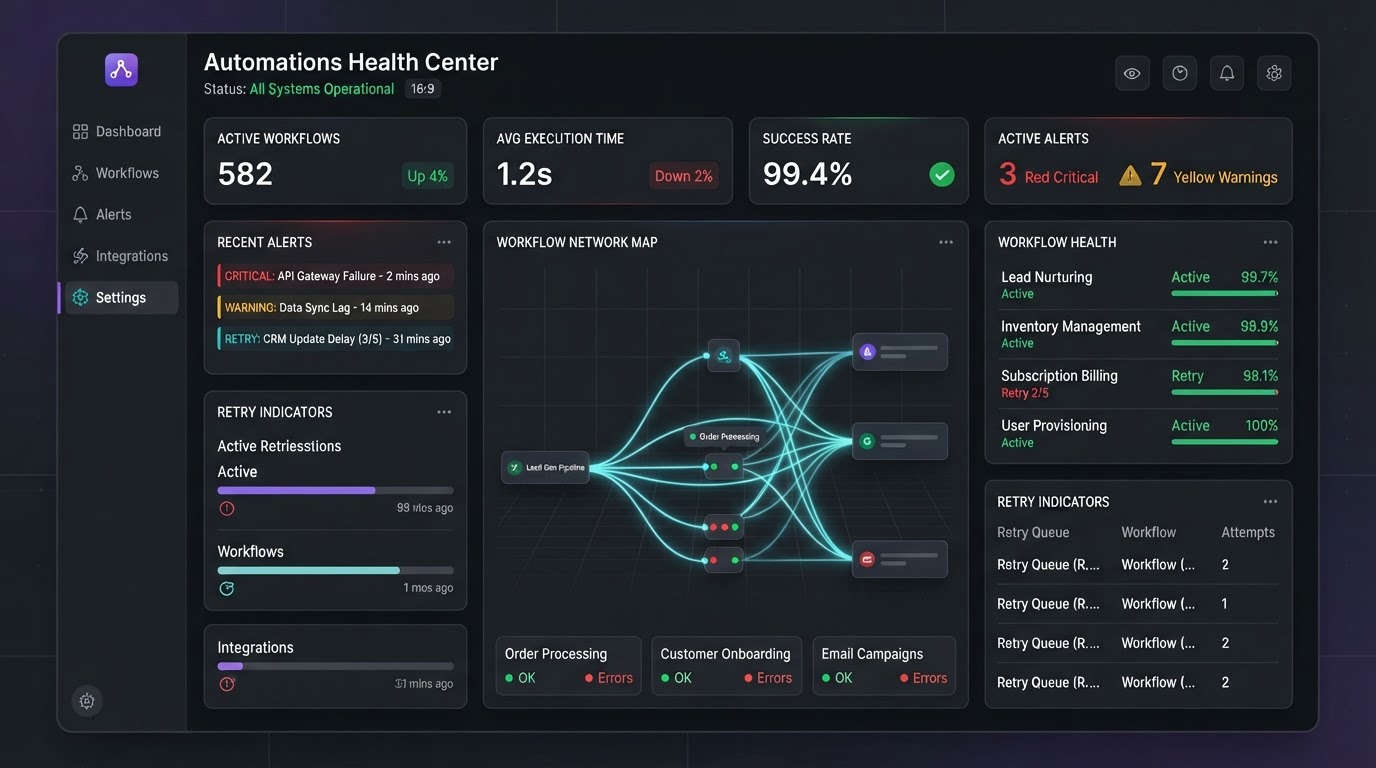
The goal of monitoring is a single dashboard that answers: 'Is everything working?' in under 10 seconds. The dashboard should show: all active workflows with their last-run status (green/yellow/red), error rate over the last 24 hours, average execution time, number of pending human-handoff tasks, and total leads or records processed. Green means healthy; yellow means degraded but functional; red means broken and needs attention.
Build it with the tools you already have. If you're using Zapier, a Zap that pulls task history into a Google Sheet and a Looker Studio dashboard reading from that sheet gives you a live monitoring board for free. If you're using Make, the built-in dashboard plus a custom error-counting scenario gives you the same visibility. The point isn't the tool — it's the discipline of looking at it regularly.
Schedule a weekly review. Every Friday at 4pm, spend 15 minutes reviewing the dashboard: which workflows had the most errors, which handoffs are still open, and which workflows haven't run in the last week (possibly because the trigger broke). This 15-minute ritual prevents the slow drift that turns a healthy automation stack into a fragile one. The automation ROI calculator framework helps you quantify the cost of downtime so you can justify the monitoring investment — because monitoring isn't an expense; it's insurance for the revenue your automations generate.
Key Takeaways
- Automations break from predictable causes — API changes, auth expiry, rate limiting, and data format drift — and monitoring catches these before they become revenue leaks.
- Monitor three signals: health (is it running?), performance (is it fast and error-free?), and business impact (is it producing outcomes?).
- Set alert thresholds that fire on patterns, not individual errors — alert fatigue kills monitoring effectiveness.
- Use exponential-backoff retries for transient failures but fail loudly on permanent errors — and ensure idempotency for money and compliance workflows.
- Human handoffs with context, routing, and tracking close the loop — automation handles 90%, humans handle the 10% that need judgment.
Frequently Asked Questions

Written by Moise
Founder & Lead Automation ArchitectMoise is the founder and lead automation architect at Wootomatic. With over a decade of hands-on experience designing, implementing, and maintaining high-throughput business automations, CRM pipelines, and custom AI agents, he has architected mission-critical workflows for hundreds of appointment-based and field-service businesses. His focus is on resilient, monitored systems that produce measurable ROI without fragile software bloat.
Put This Into Practice
We build and manage these automations for service businesses on a flexible monthly subscription. Explore the related service to see how it works:


