
On This Page
New Year Business Systems Checklist: CRM, Automations, Reporting, and Customer Follow-Up
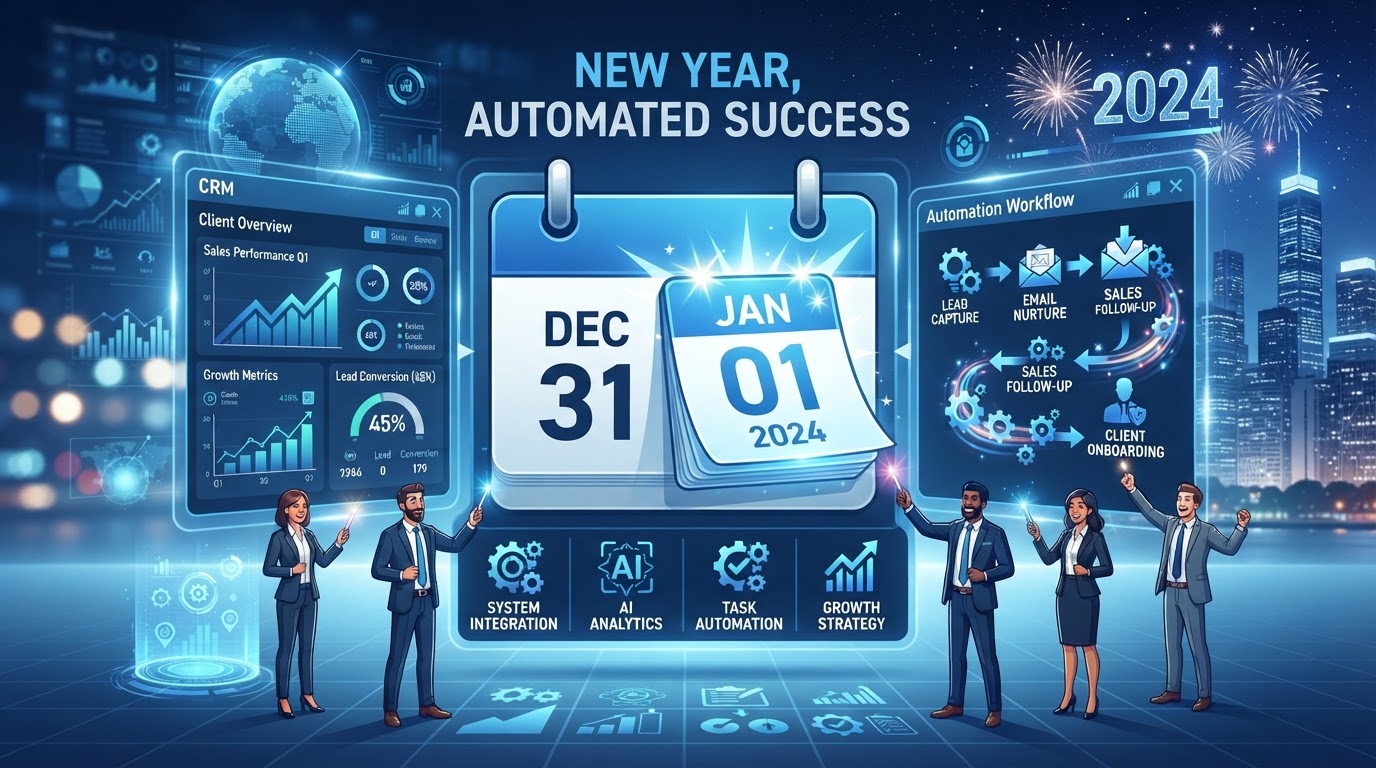
The start of a new year is the best time to set up your business systems for the next 12 months — the planning is fresh, the goals are set, and the systems you deploy now will run (or fail) all year. But most businesses start the year with last year's broken systems, stale data, and outdated automations — and wonder why the new year feels exactly like the old one. This checklist covers the four pillars of new year business systems — CRM, automations, reporting, and customer follow-up — with a phased implementation plan and cost ranges. You can also see our live [New Year promotion page](/promotions/new-year) for current offers.
01Why the New Year Is the Best Systems Setup Time
The new year has three properties that make it the ideal systems setup window. First, the year's goals are fresh — you know what you're trying to achieve, and you can align your systems to those goals. Second, the previous year's data is complete — you can review what worked and what didn't, and fix the systems that failed. Third, there's natural momentum — the 'fresh start' mindset makes it easier to implement changes that would feel disruptive mid-year.
The cost of starting the year with broken systems is cumulative. A CRM with stale data, automations that silently fail, reports that are inaccurate, and follow-up that doesn't happen — these problems compound over 12 months, and by December, the business is operating on a foundation of sand. According to our own year-end automation audit research, the average business has 15–20% of its automations partially or fully broken by year-end — and starting the new year without fixing them means another year of silent failures.
The four pillars of new year systems setup are CRM, automations, reporting, and customer follow-up. Each supports a different aspect of the business, and together they create the infrastructure that will run the year. Our small business automation guide covers the general framework; this guide is the new year-specific deployment checklist.
02The New Year Business Systems Checklist
Here's the complete checklist, organized by pillar, with timing and cost:
| # | Systems Item | Pillar | Deploy By | Cost |
|---|---|---|---|---|
| 1 | CRM data cleanup & goal alignment | CRM | Week 1 | $0–$200 |
| 2 | Pipeline stage & probability update | CRM | Week 1 | $0 |
| 3 | Workflow audit & broken automation fixes | Automations | Week 1–2 | $0–$200 |
| 4 | New automation deployment for year's goals | Automations | Week 2–4 | $50–$500 |
| 5 | Reporting dashboard update for new KPIs | Reporting | Week 2 | $0–$100 |
| 6 | Report accuracy verification | Reporting | Week 2 | $0 |
| 7 | Customer follow-up sequence update | Follow-up | Week 2–3 | $0–$100 |
| 8 | Re-engagement of dormant customers | Follow-up | Week 3 | $0–$50 |
| 9 | Team training on updated systems | All | Week 3–4 | $0 |
| 10 | Monthly review cadence setup | All | Week 4 | $0 |
Items 1–3 are the foundation — fix what's broken before building new. CRM data cleanup ensures your decisions are based on clean data. Pipeline updates ensure your forecast reflects your actual sales process. The workflow audit fixes the 15–20% of automations that are silently failing. Starting the year with a broken foundation guarantees another year of silent failures.
Items 4–8 are the new year deployment — build what's needed for the year's goals. New automations support the year's strategic priorities. Updated reporting tracks the new KPIs. Updated follow-up sequences ensure customers are nurtured according to the year's strategy. Re-engagement recovers dormant customers to start the year with recovered revenue. Our 15 business processes to automate guide helps identify which automations to prioritize.
03Pillar 1: CRM Setup for the New Year
Your CRM is the foundation — if the data is clean and the configuration matches your goals, everything else works better. Start the year with a CRM that's ready to support the next 12 months.
Data cleanup. Deduplicate contacts, remove stale records, fill in missing fields, and apply consistent tags and segments. A clean CRM enables accurate campaigns, reliable reporting, and effective personalization. Our annual CRM cleanup checklist covers this process in detail. Cost: 2–4 hours.
Goal alignment. Review your CRM configuration against the year's goals. If a goal is to increase lead conversion, ensure your pipeline stages and lead scoring support that. If a goal is to improve customer retention, ensure your customer segments and follow-up sequences are configured. The CRM should be set up to measure and support the year's specific goals — not last year's.
Pipeline update. Review your pipeline stages and probabilities against last year's actual conversion data. Remove stages that no deals passed through, update probabilities that didn't match reality, and clean stale deals. A pipeline that reflects your actual sales process produces accurate forecasts and guides your team correctly. Cost: 1–2 hours.
04Pillar 2: Automation Deployment for the Year's Goals
With the foundation fixed, deploy the new automations that will support the year's goals. Don't deploy everything at once — prioritize by impact and build sequentially.
Audit and fix existing automations first. Before building new, fix what's broken. Run the workflow audit from our year-end automation audit guide: check error rates, retire unused workflows, fix broken ones, and document what remains. Starting the year with broken automations guarantees silent failures all year.
Deploy new automations aligned to goals. For each of the year's top 3 goals, identify the automation that would most support it. If a goal is faster lead response, deploy instant response and missed-call text-back. If a goal is reduced no-shows, deploy appointment reminders and no-show recovery. If a goal is more reviews, deploy review request automation. Build one at a time, measure the results, then build the next. Our missed-call text-back automation and lead response time automation guides cover two of the highest-impact automations to start with.
Cost range: $50–$500/month depending on the number and complexity of automations deployed. The ROI should be measurable: hours saved, leads captured, revenue recovered. If an automation isn't producing measurable ROI within 30 days, review and adjust — don't let it run unmeasured all year.
05Pillar 3: Reporting Configuration for New KPIs
Your reporting should track the year's key performance indicators — not last year's. If your goals have changed, your reporting must change to match, or you'll be measuring the wrong things all year.
Update the dashboard. Review your reporting dashboard and ensure it shows the current year's KPIs. Remove obsolete metrics, add new ones that reflect the year's goals, and ensure the layout highlights the most important numbers. A dashboard that shows last year's metrics is a distraction — it fills screen space without informing decisions.
Verify report accuracy. Cross-check each report's totals against source data. If the numbers don't match, the report has a bug — fix it before making decisions based on bad data. This is the same verification we cover in our year-end automation audit — starting the year with inaccurate reports means a year of bad decisions.
Set up alerts. Configure alerts for KPI thresholds: if lead response time exceeds 1 hour, if no-show rate exceeds 20%, if weekly lead volume drops 30%. Alerts ensure you catch problems early, before they compound into month-long issues. Cost: 1–2 hours for setup, $0–$100/month for reporting tools.
Ready to Automate Your CRM & Pipeline?
We build and manage crm & pipeline automation for service businesses — done-for-you on a flexible monthly subscription.
06Pillar 4: Customer Follow-Up for the New Year
Customer follow-up is where retention and repeat business are won — and the new year is the time to update your follow-up sequences to match the year's strategy.
Update nurture sequences. Review your customer nurture sequences and ensure they reflect the year's messaging and offers. If you've added new services, the nurture should mention them. If you've changed your pricing or packages, the nurture should reflect that. Stale nurture sequences send outdated information and miss opportunities to promote new offerings. Our business processes to automate guide covers these sequences as processes #13–14.
Re-engage dormant customers. Start the year by re-engaging customers who went dormant in the previous year. Send a 'happy new year' message with a check-in and an incentive to return. This recovers revenue from customers you've already acquired but lost — the lowest-cost revenue available. According to Bain & Company's retention research, a 5% increase in retention increases profits by 25–95%.
Set up the monthly review cadence. Schedule a recurring monthly review of your follow-up sequences: check open rates, click rates, and conversion rates. Identify which messages are working and which aren't, and adjust. Without the monthly review, the sequences drift and degrade over the year. Our automation monitoring best practices guide covers this review cadence.
07The Phased Implementation Plan
Deploy the checklist over the first 4 weeks of the new year. Here's the phased plan:
Week 1: Foundation. CRM data cleanup, pipeline update, and workflow audit. Fix what's broken before building new. This is the prerequisite — everything depends on a clean, working foundation. Cost: $0–$200 (mostly time).
Week 2: Reporting and first automation. Update the reporting dashboard, verify report accuracy, and deploy the first new automation (the highest-impact one aligned to the year's goals). Cost: $0–$300.
Week 3: Follow-up and re-engagement. Update nurture sequences, deploy the dormant-customer re-engagement campaign, and deploy the second new automation. Cost: $0–$200.
Week 4: Training and cadence. Train the team on the updated systems, deploy any remaining automations, and set up the monthly review cadence. Cost: $0–$100.
Total: 4 weeks, $0–$800/month ongoing. The result: a clean CRM, working automations, accurate reporting, and updated follow-up — all aligned to the year's goals. The automation audit and consulting service maps your specific business to this phased plan.
08Failure Cases and Limitations
The most common failure is starting the year without fixing the foundation. A business deploys new automations on top of a broken CRM, stale data, and failing workflows — and the new automations inherit the problems. The fix: always start with the foundation (Week 1) before building new. New automations on a broken foundation produce broken results.
The second failure is deploying too many automations at once. A business tries to deploy 10 new automations in January, overwhelms the team, and none are done well. The fix: deploy one at a time, measure for two weeks, then build the next. Compounding wins beat big-bang deployments — this is the principle in our business processes to automate guide.
A limitation to acknowledge: the full 4-week setup requires dedicated time and focus, which may be challenging for a very small business operating at full capacity. In that case, prioritize: the foundation (Week 1) and the highest-impact automation (Week 2) are the two most important. The rest can be spread across the first quarter. Even those two alone will dramatically improve the year's systems foundation.
09An Anonymized Example from Our Work
A service business started 2026 with the same broken systems they'd had for two years — a CRM with 800 duplicate contacts, 4 silently failing workflows, reports that were 15% inaccurate, and follow-up sequences that hadn't been updated in 18 months. They wondered why each year felt the same — until we ran the new year systems setup.
We deployed the 4-week plan: Week 1 cleaned the CRM (reducing contacts from 4,200 to 3,400 by removing duplicates and stale records), updated the pipeline (removing 2 unused stages, updating probabilities), and fixed the 4 broken workflows. Week 2 updated the reporting dashboard with the year's KPIs, verified report accuracy (fixing the 15% discrepancy), and deployed a missed-call text-back automation. Week 3 updated the nurture sequences and deployed a dormant-customer re-engagement campaign (recovering 34 customers, each worth $300–$800 annually). Week 4 trained the team and set up the monthly review cadence. The result: clean data, working automations, accurate reporting, and updated follow-up — all aligned to the year's goals. The estimated annual impact: $28,000 in recovered leads, retained customers, and prevented bad decisions — a 35x return on the 4-week setup investment. The owner's reaction: 'I didn't realize how much last year's broken systems were costing us — until we fixed them.'
10Starting the Year with Systems That Work
The new year is the best time to set up your business systems for the next 12 months — and the businesses that do it start the year with a clean, working, goal-aligned foundation. The four pillars — CRM, automations, reporting, and customer follow-up — are the components, and the 4-week phased plan is the deployment. The result: systems that support the year's goals, rather than dragging last year's problems into the new year. If you're ready to set up your systems, the automation audit and consulting service maps your business to the plan. And for new-year offers, visit our promotion page. Because a business that starts the year with systems that work is a business that's built to achieve the year's goals — without the silent failures that slow everyone else down.
Key Takeaways
- The new year is the best systems setup time — fresh goals, complete prior-year data, and natural momentum for change.
- Start with the foundation: CRM cleanup, pipeline update, and workflow audit — fix what's broken before building new.
- Deploy new automations aligned to the year's top 3 goals, one at a time, with measurable ROI within 30 days.
- Update reporting to track the year's KPIs, verify accuracy, and set up alerts for threshold breaches.
- Update follow-up sequences, re-engage dormant customers, and set up a monthly review cadence — 4 weeks, $0–$800/month.
Frequently Asked Questions

Written by Moise
Founder & Lead Automation ArchitectMoise is the founder and lead automation architect at Wootomatic. With over a decade of hands-on experience designing, implementing, and maintaining high-throughput business automations, CRM pipelines, and custom AI agents, he has architected mission-critical workflows for hundreds of appointment-based and field-service businesses. His focus is on resilient, monitored systems that produce measurable ROI without fragile software bloat.
Put This Into Practice
We build and manage these automations for service businesses on a flexible monthly subscription. Explore the related service to see how it works:


