
On This Page
HIPAA-Conscious Patient Intake Automation: What Clinics Need to Know
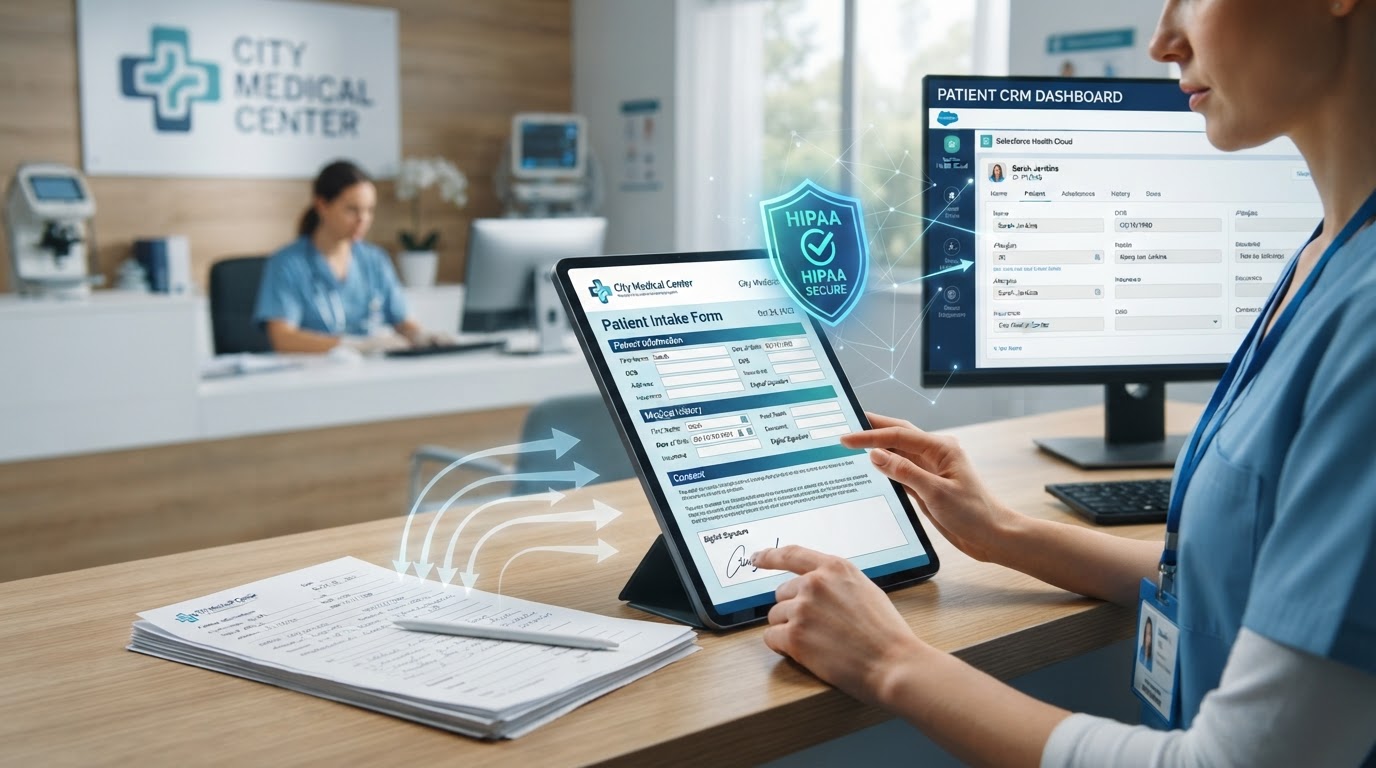
Patient intake is one of the highest-friction processes in any clinic — patients fill out paper forms in the waiting room, staff manually enters the data into the EHR, and the whole process takes 15–30 minutes per patient. Automating intake saves that time, but healthcare introduces a constraint that most industries don't face: HIPAA. Every automation that touches protected health information (PHI) must be HIPAA-compliant, which means encryption, business associate agreements (BAAs), access controls, and audit trails. After implementing HIPAA-conscious intake automation for clinics, the good news is that compliance is achievable — it just requires the right architecture and the right vendors. This guide covers what clinics need to know to automate intake without risking compliance.
01What HIPAA Requires for Automation
The core requirements are:
- Encryption — PHI in transit (TLS 1.2+) and at rest (AES-256)
- Access controls — limit who can see PHI
- Audit trails — log every access
- Business associate agreements (BAAs) — with every vendor that touches PHI
- Breach notification procedures — defined response process
If your automation sends patient data through a non-HIPAA-compliant tool — a standard Zapier account, a consumer-grade SMS provider, or a chatbot without a BAA — you've created a compliance gap.
The Business Associate Agreement (BAA) is the foundation. Every vendor that processes PHI on your behalf must sign a BAA — a legal contract that defines how they'll protect the data and what happens in a breach. Without a signed BAA, using that vendor with PHI is a HIPAA violation. The challenge is that many popular automation tools — including standard Zapier and Make plans — don't offer BAAs. You need HIPAA-specific plans or HIPAA-compliant alternatives. According to HHS's HIPAA guidance for developers, any developer creating software that handles PHI must be prepared to sign a BAA and meet the Security Rule's requirements.
The practical implication: your automation stack for healthcare must be built on HIPAA-compliant infrastructure. This doesn't mean you can't use automation — it means you need to choose vendors carefully and architect the data flow to minimize PHI exposure. The healthcare industry page covers the broader compliance landscape for healthcare automation.
02Architecting HIPAA-Conscious Intake Automation
The core principle is data minimization: route as little PHI as possible through the automation layer. The ideal architecture: the intake form lives on a HIPAA-compliant platform that stores PHI, and the automation only receives a non-PHI trigger — 'a form was submitted' — without the actual health data. The full form data stays in the compliant system, and the automation's job is just to route the notification, not to handle the PHI itself.
When the automation must handle PHI — for example, sending an appointment reminder that includes the patient's name and appointment type — every step must be on HIPAA-compliant infrastructure. The architecture: a HIPAA-compliant CRM that stores patient data, a HIPAA-compliant SMS provider (like Twilio with a BAA) for reminders, and a HIPAA-compliant automation layer (like a dedicated Zapier HIPAA plan or a custom integration) that connects them. Every vendor in the chain needs a signed BAA before any PHI flows through it.
Never log PHI in automation logs. A common mistake is using a workflow automation that logs the full payload of each execution — including patient data — in a dashboard that anyone on the team can see. The logs must either exclude PHI or be access-controlled to only authorized personnel. This is a detail that's easy to miss and expensive to fix after an audit — the automation monitoring best practices framework covers the logging architecture that keeps monitoring data clean.
03Patient Consent and Intake Workflows
Before automating any communication with patients, consent is required. HIPAA and the TCPA both govern automated patient outreach. For SMS reminders and follow-ups, patients must opt in to receive text messages — typically through the intake form itself, which includes a checkbox: 'I consent to receive text messages about my appointments and care.' Without this consent, automated SMS is a compliance risk.
The consent must be documented and revocable. Build consent management into the CRM: each patient record has a 'SMS consent' field that's set at intake and can be revoked by the patient at any time ('Reply STOP to unsubscribe'). The automation checks this field before sending any SMS — if consent is false, the message is suppressed and the patient is contacted via a compliant channel (phone or patient portal) instead. This is the same opt-out mechanism we describe in the missed-call text-back automation TCPA compliance section — the principles are identical for healthcare.
Digital intake forms replace paper forms with a tablet or phone-based form that patients complete before their appointment. The form data flows directly into the EHR or CRM, eliminating manual data entry. The key compliance requirements: the form must be encrypted (TLS 1.2+ for transit, AES-256 for storage), access-controlled (only authorized staff can view submissions), and auditable (every form submission is logged with a timestamp). The form itself must be on a HIPAA-compliant platform — not a generic form builder without a BAA.
Automate Patient Intake the Compliant Way
We build intake workflows on HIPAA-compliant tools with BAAs, encryption, and consent built in — so you eliminate the clipboard bottleneck without compromising patient privacy.
04Automated Appointment Reminders for Clinics
Appointment reminders are the highest-ROI automation for most clinics, reducing no-shows by 30–50%. The HIPAA-compliant version sends a reminder that includes the minimum necessary PHI: the appointment date, time, and a return phone number — not the reason for the visit or any diagnostic information. A reminder that says 'You have an appointment on Tuesday at 2pm' is compliant; one that says 'You have a dermatology appointment for your psoriasis treatment on Tuesday at 2pm' is not, because it discloses the patient's condition in an unencrypted SMS.
The 'minimum necessary' rule is the guiding principle: include only the information needed for the patient to attend the appointment. Name, date, time, and a callback number. If the patient needs specific preparation instructions ('fast for 8 hours before your appointment'), send those through the patient portal rather than SMS. This is not just a compliance best practice — it's also better patient experience, because patients don't want their medical details in a text message that might be seen by someone else.
The reminder sequence: 48 hours before (SMS or email), 24 hours before (SMS), and 2 hours before (SMS).
| Timing | Channel | Purpose |
|---|---|---|
| 48 hours before | SMS or email | First reminder |
| 24 hours before | SMS | Confirmation request |
| 2 hours before | SMS | Final reminder + callback number |
If the patient confirms via SMS (replying 'Y'), suppress the later reminders. If they don't confirm, the 2-hour reminder includes a phone number to call if they need to reschedule.
05Post-Visit Follow-Up and Care Coordination
After the visit, automated follow-up improves outcomes and compliance. A 24-hour check-in asks about symptoms or concerns — 'How are you feeling after your visit? Reply with any concerns or call us at [number].' A 7-day follow-up asks about the care plan — 'Have you been able to follow your care plan? Any questions about your medications?' These check-ins catch complications early (reducing ER visits and readmissions) and improve patient engagement with their care plan.
For chronic conditions, automate ongoing check-ins at the clinically appropriate interval. A diabetes patient might receive a 30-day check-in; a post-surgical patient might receive 7-day, 14-day, and 30-day check-ins. The key is that the automation sends the check-in, but a human reviews the responses. If a patient reports a problem ('I'm still in pain' or 'I'm not tolerating the medication'), the system routes the alert to a nurse or care coordinator for follow-up. The automation handles the routine; the human handles the clinical judgment.
All of this must be on HIPAA-compliant infrastructure. The CRM stores the follow-up data, the SMS provider has a BAA, and the automation layer is HIPAA-configured. The CRM migration checklist guide is relevant if you're moving patient data between systems — the migration must preserve data integrity and access controls. For clinics that need help architecting the full stack, the automation audit and consulting engagement includes a HIPAA compliance review as a standard phase.
06Choosing HIPAA-Compliant Tools
Not all automation tools offer HIPAA-compliant plans, and the ones that do often charge a premium. Here's the landscape: Twilio offers a BAA for SMS (on HIPAA-eligible plans); most major CRMs (including several healthcare-specific ones) offer BAAs; Zapier offers a HIPAA-compliant plan for enterprise customers; Make does not currently offer a BAA. If you need a tool that doesn't offer a BAA, you either can't use it with PHI or you need to architect around it — using the tool only for non-PHI triggers and keeping all PHI on compliant infrastructure.
The cost of HIPAA compliance is real but manageable. A HIPAA-compliant SMS plan costs 30–50% more than a standard plan; a HIPAA-compliant CRM is comparable in price to a standard enterprise CRM. The cost of non-compliance — fines, breach notification, reputational damage — is orders of magnitude higher. According to HHS's enforcement data, the average HIPAA settlement exceeds $50,000, and the largest breaches have cost organizations millions. The investment in compliant infrastructure is insurance against a risk that's far more expensive to bear.
The practical approach: audit your current stack, identify every tool that touches PHI, and for each one, either confirm a BAA is in place or replace it with a compliant alternative. This is a one-time project with ongoing maintenance — new tools added to the stack need the same review. The business processes to automate before hiring framework helps you identify which intake processes are worth the compliance investment, because not every automation needs to touch PHI.
Key Takeaways
- HIPAA requires encryption, access controls, audit trails, and signed BAAs with every vendor that touches PHI — standard automation plans often don't qualify.
- Architect for data minimization — route as little PHI as possible through the automation layer and keep all patient data on compliant infrastructure.
- Patient consent (documented and revocable) is required before any automated SMS — build consent management into the CRM and check it before every send.
- Appointment reminders must follow the 'minimum necessary' rule — date, time, and callback number, not the reason for the visit.
- Audit every tool in your stack for BAA coverage and replace non-compliant vendors — the cost of compliant infrastructure is a fraction of the cost of a breach.
Frequently Asked Questions

Written by Moise
Founder & Lead Automation ArchitectMoise is the founder and lead automation architect at Wootomatic. With over a decade of hands-on experience designing, implementing, and maintaining high-throughput business automations, CRM pipelines, and custom AI agents, he has architected mission-critical workflows for hundreds of appointment-based and field-service businesses. His focus is on resilient, monitored systems that produce measurable ROI without fragile software bloat.
Put This Into Practice
We build and manage these automations for service businesses on a flexible monthly subscription. Explore the related service to see how it works:


