
On This Page
Calendar Automation Checklist: Prevent Missed Appointments Across Time Zones
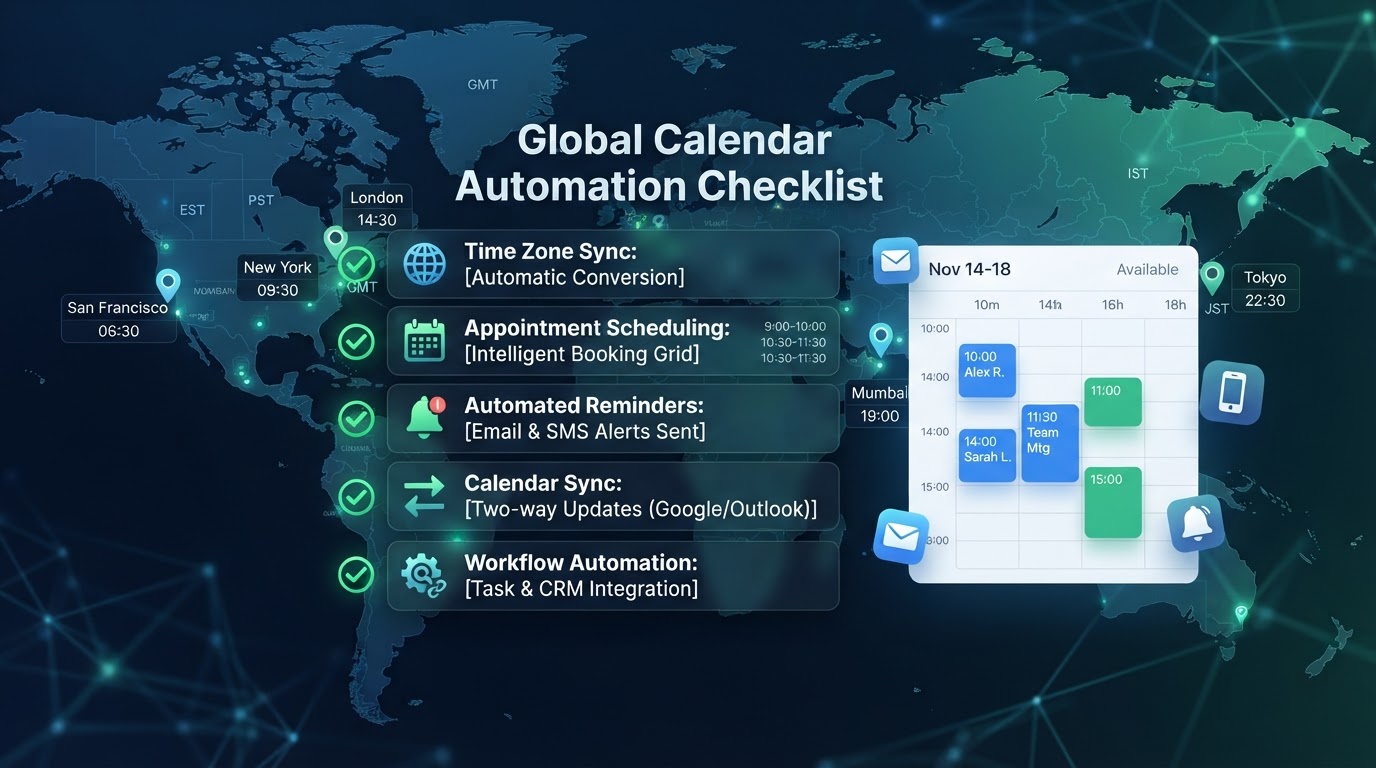
Missed appointments are the silent revenue killer in service businesses — and the root cause is almost always a calendar automation gap. Whether it's a reminder that didn't send, a timezone error, or a no-show that nobody followed up on, each gap costs real money. This checklist is the complete framework we use to build calendar automations that prevent missed appointments across any timezone, any DST transition, and any edge case. Work through it item by item — each one closes a specific gap that would otherwise cost you appointments.
01The Calendar Automation Checklist
Here's the full checklist, organized by the appointment lifecycle. Each item prevents a specific failure mode.
| Phase | Item | Failure Prevented |
|---|---|---|
| Booking | Self-serve 24/7 scheduling | Phone-tag, lost leads |
| Booking | Timezone-aware display | Cross-zone confusion |
| Booking | Buffer time between appts | Back-to-back chaos |
| Booking | Deposit/no-show fee option | Casual no-shows |
| Reminder | 24-hour SMS reminder | Forgetful no-shows |
| Reminder | 1-hour SMS reminder | Last-minute no-shows |
| Reminder | Timezone-correct timing | DST/zone errors |
| Recovery | No-show detection | Silent revenue loss |
| Recovery | Auto rebooking sequence | Permanently lost appts |
| Post-visit | Review request trigger | Missed review opp |
| Post-visit | Follow-up sequence | No retention touch |
Let's walk through each phase in detail — because the implementation details are where most calendar automations fail.
02Booking Phase: Making Scheduling Frictionless
Self-serve 24/7 scheduling is the foundation. Replace phone-tag and back-and-forth emails with a booking page where customers pick a time slot, the system checks calendar availability, and the appointment is booked instantly — with confirmation sent automatically. This eliminates the single most time-consuming admin task in most service businesses and captures leads outside business hours. According to Calendly's scheduling impact data, businesses offering self-serve booking see 30–40% higher appointment completion rates than those requiring phone scheduling.
Timezone-aware display is critical if you serve customers across zones — and increasingly, even local businesses have remote customers. The booking page should display times in the customer's local timezone (detected from their browser), while storing the appointment as an absolute moment. This prevents the 'I thought it was 2 PM my time but it was 2 PM your time' confusion that causes missed appointments. Our DST appointment scheduling guide covers the timezone handling in depth.
Buffer time between appointments prevents the back-to-back chaos that makes every appointment run late. Set a 10–15 minute buffer between appointments for prep, cleanup, and transition. Without it, a single late appointment cascades through the entire day, and customers who arrive on time end up waiting — which erodes trust and generates negative reviews.
Deposit or no-show fee options deter casual no-shows. For high-value appointments, require a small deposit at booking (refundable if they show up) or a no-show fee policy stated clearly at booking. This changes the economics of no-shows — the customer has skin in the game, and casual no-shows drop dramatically. This is a business policy decision, but the automation should support it: integrate payment at booking if you choose this route.
03Reminder Phase: The No-Show Prevention Core
The 24-hour SMS reminder is the single most effective no-show prevention tool. Send a text 24 hours before the appointment with the date, time, and a 'Reply C to confirm or R to reschedule' option. This gives the customer time to adjust if they have a conflict — converting a would-be no-show into a reschedule, which preserves the revenue. Businesses that add this single reminder typically see no-show rates drop 30–50%.
The 1-hour SMS reminder catches the last-minute forgetfulness. A text one hour before: 'Your appointment with [business] is at [time]. See you soon!' This is the final safety net — the customer who forgot, or who is running late, gets a nudge that gets them in the door. The 1-hour reminder adds another 10–15% reduction on top of the 24-hour reminder.
Timezone-correct timing is the technical requirement that makes both reminders work. The reminder must be calculated based on the absolute appointment moment, not a local clock string — otherwise DST transitions and timezone differences cause the reminder to fire at the wrong time. This is the most common technical failure in calendar automations, and it's covered in detail in our DST appointment scheduling guide. Use a timezone-aware library; never calculate reminder times with manual arithmetic.
Here's the reminder sequence we deploy for every client:
| Timing | Channel | Content | Purpose |
|---|---|---|---|
| 24 hrs before | SMS | Appt details + confirm/reschedule | Conflict detection |
| 1 hr before | SMS | 'See you soon' + address | Forgetfulness |
| At appt time | SMS (if no-show) | 'Missed you — reschedule?' | Recovery |
| 1 day after | SMS | Review request (if attended) | Reputation |
04Recovery Phase: Saving the No-Shows
No-show detection is the gap most businesses miss. When a customer doesn't show up, most businesses do nothing — the appointment slot is lost, and nobody follows up to rebook. The revenue evaporates silently. The fix: an automation that detects no-shows (the appointment time passes without a check-in) and triggers a recovery sequence within 30 minutes.
The auto-rebooking sequence is where lost revenue is recovered. When a no-show is detected, send an SMS within 30 minutes: 'Hi [name], we missed you at your [time] appointment. No worries — would you like to reschedule? [booking link].' Follow up the next day if no response. This sequence typically recovers 40–60% of no-shows — appointments that would otherwise be permanently lost. The missed-call text-back automation guide covers a similar recovery pattern for phone calls.
The recovery sequence should be empathetic, not accusatory. 'We missed you' is better than 'You missed your appointment.' The customer may have had a genuine emergency — treating them with grace preserves the relationship and increases the likelihood they rebook. The automation handles the volume; the tone preserves the relationship.
Fill Your Calendar and Cut No-Shows
We connect your booking system, automate reminders, and follow up automatically — so appointments stick and your team's time isn't wasted.
05Post-Visit Phase: Compounding the Value
The review request trigger turns completed appointments into online reputation. Send an SMS after each completed service with a direct link to your Google review page: 'Thanks for visiting [business]! If you had a great experience, a quick review helps us a lot: [link].' Businesses that automate this see a 3–5x increase in review volume within the first quarter — and reviews are a top local SEO ranking factor.
The follow-up sequence retains customers and drives repeat business. After a service, trigger a check-in at 7 days ('How is everything?') and a re-engagement at 60 days if they haven't rebooked ('We'd love to see you again — here's a special offer'). This keeps your business top-of-mind and recovers dormant revenue that most businesses never actively pursue. Our business processes to automate guide covers this as process #14.
The post-visit phase is where calendar automation compounds. The appointment itself is one transaction; the review, the follow-up, and the re-engagement turn it into a relationship that generates recurring revenue. Most businesses stop at the appointment — the full checklist extends the value across the entire customer lifecycle.
06Failure Cases and Limitations
The most common failure is incomplete implementation. A business sets up the 24-hour reminder but not the 1-hour reminder, or the reminders but not the no-show recovery. Each missing piece leaves a gap where appointments are lost. The checklist isn't a menu — it's a system where each item covers a specific failure mode. Skip items and you'll see the corresponding failures.
The second failure is timezone-incorrect reminders. The reminders are set up, but they fire at the wrong time due to DST or timezone handling bugs. This is worse than no reminder — a reminder at the wrong time confuses customers and can cause them to show up at the wrong time. The fix is the timezone-aware implementation covered above; test across a DST transition before trusting the system.
A limitation to acknowledge: reminders can't prevent all no-shows. Some customers will no-show regardless of reminders — emergencies, forgetfulness that persists despite reminders, or customers who simply don't value the appointment. The deposit/no-show fee option addresses the last group; the recovery sequence addresses the first two. But no system achieves zero no-shows. The goal is to reduce the rate from 25–30% to 10–15% and recover 40–60% of the remainder — which is a dramatic revenue improvement even with an irreducible floor.
07An Anonymized Example from Our Work
A property management company was losing maintenance appointments to no-shows. Tenants booked maintenance visits, then weren't home when the technician arrived — wasting technician time and delaying repairs for other tenants. Their no-show rate was 32%, and each no-show cost roughly $120 in technician time and rescheduling overhead — about $4,800/month in waste.
We deployed the full checklist: self-serve booking with timezone-aware display, 24-hour and 1-hour SMS reminders with confirm/reschedule options, no-show detection with a 30-minute recovery sequence, and a post-visit satisfaction survey. No-show rate dropped from 32% to 11% — the reminders caught the forgetful, the confirm option converted conflicts to reschedules, and the recovery sequence rebooked 55% of the remaining no-shows. The company saved roughly $3,100/month in recovered technician time — and tenant satisfaction improved because maintenance was completed faster and communication was clearer.
08Building a No-Show-Proof Calendar System
Missed appointments are preventable — not entirely, but dramatically. The checklist above is the complete framework: frictionless booking, timezone-correct reminders, automated no-show recovery, and post-visit compounding. Each item closes a specific gap; together, they form a system that reduces no-shows from 25–30% to 10–15% and recovers nearly half of the remainder. If you're building this from scratch or fixing a leaky calendar system, the appointment and calendar automation service deploys the full checklist with timezone-correct implementation and DST testing included.
Key Takeaways
- Self-serve 24/7 scheduling with timezone-aware display eliminates phone-tag and captures after-hours leads — 30–40% higher completion rates.
- The reminder core: 24-hour SMS (conflict detection) + 1-hour SMS (forgetfulness) reduces no-shows by 30–50%.
- Timezone-correct timing is the technical requirement — use timezone-aware libraries, never manual arithmetic, and test across DST transitions.
- No-show detection + 30-minute auto-rebooking sequence recovers 40–60% of missed appointments that would otherwise be permanently lost.
- Post-visit review requests and follow-up sequences compound the value — the appointment becomes a relationship that generates recurring revenue.
Frequently Asked Questions

Written by Moise
Founder & Lead Automation ArchitectMoise is the founder and lead automation architect at Wootomatic. With over a decade of hands-on experience designing, implementing, and maintaining high-throughput business automations, CRM pipelines, and custom AI agents, he has architected mission-critical workflows for hundreds of appointment-based and field-service businesses. His focus is on resilient, monitored systems that produce measurable ROI without fragile software bloat.
Put This Into Practice
We build and manage these automations for service businesses on a flexible monthly subscription. Explore the related service to see how it works:


