
On This Page
How to Automate Lead Qualification Without Losing Good Prospects
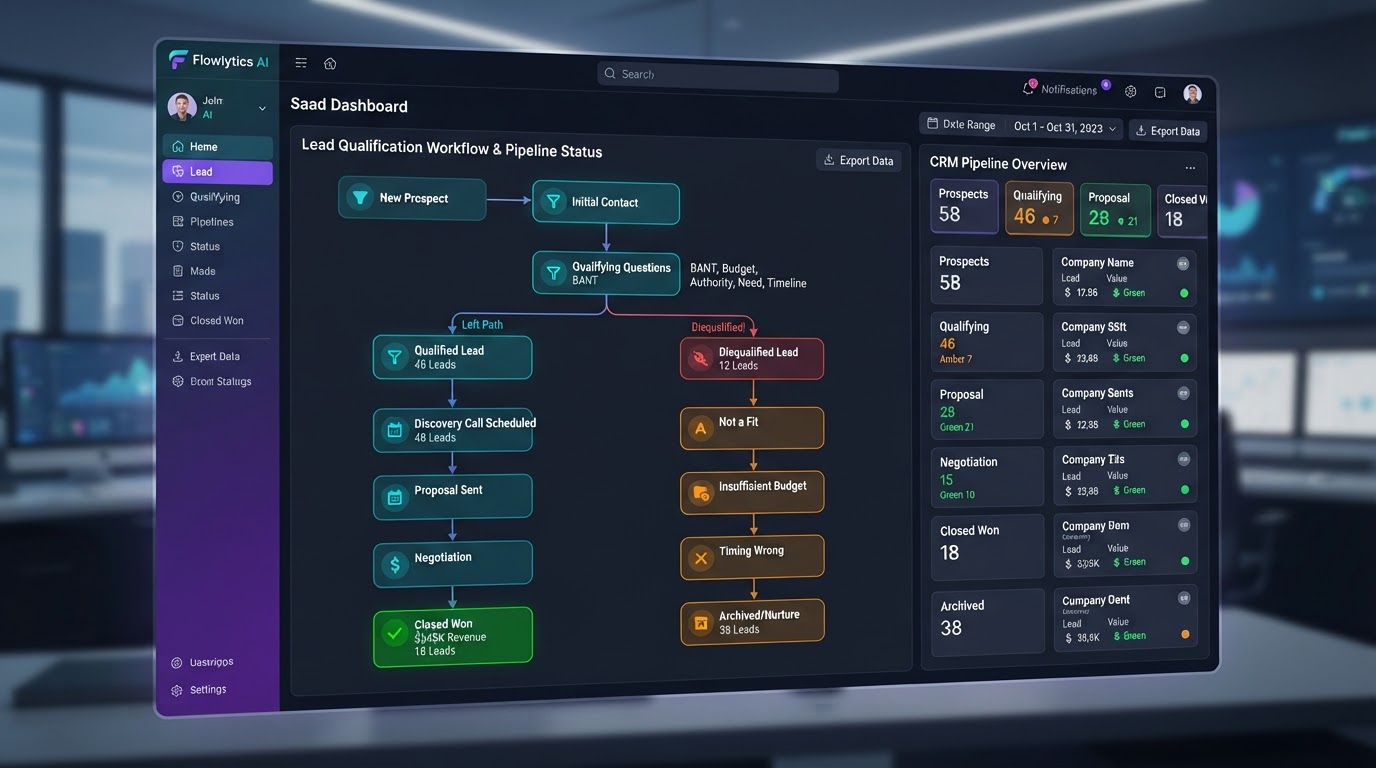
Lead qualification is the bridge between marketing and sales — the process that separates real prospects from tire-kickers so your sales team spends time on the people most likely to buy. Automating it sounds straightforward: score each lead, route the hot ones to sales, and nurture the rest. The danger is that an automated system can be too aggressive — disqualifying a lead that would have converted if a human had looked at the nuance. After building lead qualification systems for dozens of service businesses, the balance is clear: automate the routing, but build in safeguards that catch the edge cases the scoring model misses. This guide covers the scoring models, behavioral signals, disqualification logic, and human-in-the-loop patterns that let you automate qualification without losing good prospects.
01What Lead Qualification Actually Means
Lead qualification is the process of determining whether a lead is worth your sales team's time. It's not about judging the lead as a person — it's about matching the lead's needs, budget, and timeline against your offering. A qualified lead is one that fits your ideal customer profile and has a problem you can solve at a price they can afford. An unqualified lead is one that doesn't — and routing unqualified leads to your sales team wastes their time and frustrates the lead.
Manual qualification is the status quo for most businesses. A rep reviews each lead, reads the form submission, checks the website activity, and makes a judgment call. This works when volume is low — 20 leads a week is manageable. At 200 leads a week, it breaks down: the rep either spends all day qualifying (leaving no time to sell) or rushes through (missing nuances that distinguish good leads from bad). Automation scales the judgment without scaling the human time.
The risk is false negatives — leads the system marks as unqualified that would have converted. A lead that looks marginal on paper (small company, low budget, unclear timeline) but has a burning problem and strong intent is a false negative waiting to happen. The lead response time automation framework addresses speed; this guide addresses the quality of the qualification decision itself.
02Building a Scoring Model
A lead scoring model assigns a numeric score to each lead based on attributes that correlate with conversion. The inputs fall into two categories: firmographic (company size, industry, location, revenue) and behavioral (pages visited, content downloaded, emails opened, forms submitted, time on site). The score is a weighted sum of these inputs, with weights set based on which attributes historically correlate with closed deals.
Start with a rules-based model before going predictive. A simple model: +10 points if company size > 50, +15 if industry matches your target, +20 if they visited the pricing page, +25 if they downloaded a case study, +10 if they returned within 7 days. Set a threshold (say, 50 points) above which leads route to sales and below which they enter nurture. This model is transparent — you can explain exactly why a lead scored what it did — and easy to tune.
Predictive scoring, which is now native to many modern CRMs, improves on rules by learning from your actual conversion data. Instead of guessing that 'pricing page visit = 20 points,' the model calculates that leads who visit the pricing page convert at 3.2x the base rate and weights accordingly. According to HubSpot's predictive lead scoring guide, businesses using predictive scoring see 30% higher conversion rates from sales-qualified leads than those using manual qualification. But predictive models are black boxes — if they score a lead low and you can't explain why, you can't debug the false negative. The CRM and pipeline automation service includes scoring model configuration as a standard deliverable.
03Behavioral Signals: What Leads Do Tells You More Than What They Say
Firmographic data (company size, industry) is what leads tell you. Behavioral data (what they do on your site, what they engage with) is what leads show you — and it's often more predictive. A lead from a 500-person company that never returns to your site is less qualified than a lead from a 10-person company that visits your pricing page three times in a week.
Track these behavioral signals:
- Pricing page visits — strong purchase intent
- Case study downloads — evaluating your track record
- Competitor comparison page visits — actively shopping
- Return visits within 7 days — sustained interest
- Form abandonment followed by return — hesitation, not disinterest
- Chatbot engagement depth — asking detailed questions signals buying intent
Each of these is a signal that a lead is actively evaluating, not just browsing.
The nuance is that behavioral signals can be gamed or misread. A lead visiting your pricing page 10 times might be a competitor researching your rates, not a hot prospect. Layer firmographic and behavioral signals together: a lead from a relevant industry that visits the pricing page twice and downloads a case study is far more qualified than one with only one of those signals. This multi-signal approach reduces false positives (leads that look qualified but aren't) and false negatives (leads that look unqualified but would convert). The sales funnel optimization use case documents the full instrumentation layer that makes behavioral tracking measurable.
Respond to Every Lead in Minutes, Not Hours
We build lead-response automations that acknowledge, qualify, and route every inquiry instantly — so you never lose a customer to a faster competitor.
04Disqualification Logic: What to Exclude and Why
Disqualification is the flip side of qualification — and it's where most automation systems lose good prospects. A disqualification rule should be conservative. It's better to over-qualify (route a marginal lead to sales who can quickly disqualify in conversation) than to under-qualify (auto-nurture a lead that was ready to buy). The cost of a wasted 10-minute sales call is far lower than the cost of a lost $10,000 deal.
Safe disqualification criteria:
- Geographic out-of-service-area — only if you genuinely can't serve them
- Explicit budget mismatch — they stated a budget 10x below your minimum
- Clear vertical mismatch — they need a service you don't offer
Even these should be reviewed — a lead 'out of your area' might be willing to pay for remote service, and a 'budget mismatch' might be a negotiating position rather than a hard constraint. The safest approach: auto-nurture rather than auto-disqualify. Instead of marking a lead as 'dead,' route it to a lower-priority nurture sequence. If the lead engages with the nurture content, re-qualify — they may have been ready all along.
Never auto-disqualify based on a single signal. A lead with a small company size but high behavioral engagement is more qualified than a lead with a large company size and zero engagement. Multi-signal qualification — requiring a combination of firmographic and behavioral signals before routing to sales — is the pattern that prevents false negatives. The missed-call text-back automation framework covers a related edge case: leads who call but don't answer the qualification form shouldn't be disqualified just because they didn't fill out your fields.
05The Human-in-the-Loop Safeguard
The most important safeguard against false negatives is a human-in-the-loop checkpoint. The pattern: automate the routing for the 80% of leads that clearly qualify or clearly don't, but flag the 20% in the middle for human review. This is the 'gray zone' — leads with mixed signals that a scoring model can't confidently classify.
For the gray zone, route the lead to a human reviewer with the full context: the lead's form submission, their behavioral data, the scoring model's output and reasoning, and a recommendation ('the model scored this lead at 45 — just below the 50 threshold — but behavioral signals are strong; recommend manual review'). The reviewer makes the final call in under 30 seconds, and the outcome feeds back into the model to improve future scoring.
This feedback loop is what turns a static scoring model into a learning one. Every manual review is a training data point: the human's qualification decision (qualified or not) becomes a label that the model uses to refine its weights. Over time, the gray zone shrinks as the model learns from human judgment. This is the architecture pattern that separates a qualification system that gets smarter from one that ossifies — and it's the same iterative pattern we describe in the automation ROI calculator framework where measurement drives continuous improvement.
06Measuring Qualification Quality
A qualification system without measurement is a black box. Track these metrics: qualification rate (percentage of leads routed to sales — should be 20–40% for a healthy funnel), false negative rate (leads auto-nurtured that later converted — measure by tracking nurture leads who close), false positive rate (leads routed to sales that were quickly disqualified — should be under 15%), and time-to-qualification (how long from lead creation to routing decision — should be under 60 seconds for automated, under 4 hours for gray-zone manual review).
The false negative rate is the most important and the most undermeasured. Most businesses track how many leads sales qualified but not how many leads the automation wrongly disqualified. To measure it: track every lead that enters the nurture sequence and flag those who eventually convert. If 10% of converted leads came from the nurture sequence (meaning they were initially disqualified by the automation), your false negative rate is 10% — and those are deals you almost lost. If the rate is above 15%, your qualification threshold is too aggressive and needs lowering.
Review these metrics monthly. The scoring model that worked in January may be stale by July if your business mix shifts, a new competitor enters the market, or your offering evolves. The same monthly review cadence we describe in the automation monitoring best practices framework applies here — a qualification model is not a set-it-and-forget-it asset; it's a living system that needs regular tuning to stay accurate.
Key Takeaways
- Lead qualification automates the judgment of which leads are worth sales' time — but the risk is false negatives that lose good prospects.
- Start with a transparent rules-based scoring model before going predictive; the transparency lets you debug false negatives.
- Behavioral signals (pricing visits, case study downloads, return visits) are more predictive than firmographic data alone.
- Be conservative with disqualification — auto-nurture is safer than auto-disqualify, and never disqualify based on a single signal.
- Build a human-in-the-loop checkpoint for the 20% gray zone, and feed manual decisions back into the model to shrink the gray zone over time.
Frequently Asked Questions

Written by Moise
Founder & Lead Automation ArchitectMoise is the founder and lead automation architect at Wootomatic. With over a decade of hands-on experience designing, implementing, and maintaining high-throughput business automations, CRM pipelines, and custom AI agents, he has architected mission-critical workflows for hundreds of appointment-based and field-service businesses. His focus is on resilient, monitored systems that produce measurable ROI without fragile software bloat.
Put This Into Practice
We build and manage these automations for service businesses on a flexible monthly subscription. Explore the related service to see how it works:


