
On This Page
AI Booking Automation for Madera Wineries and Tasting Rooms: Reservations, Reminders & Event Routing
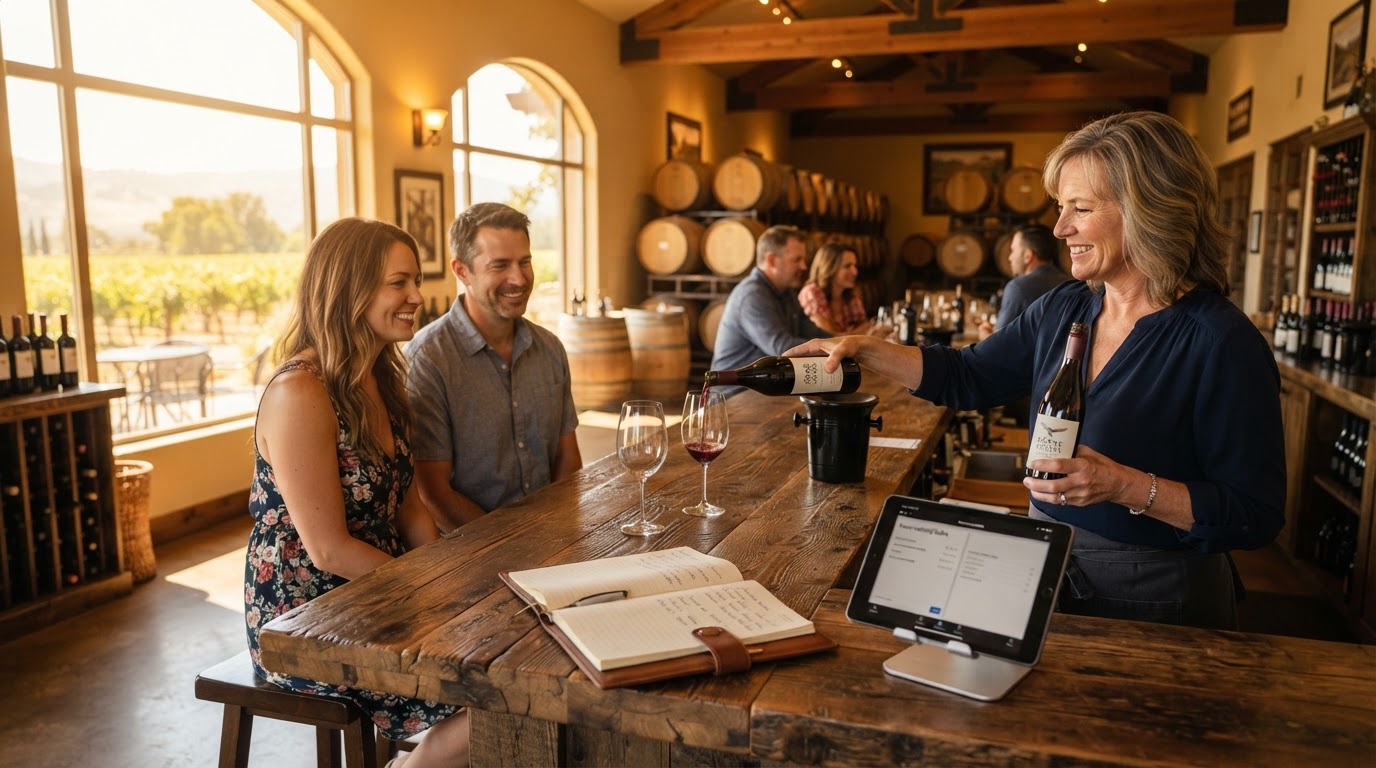
Madera wineries do not need automation to replace hospitality. They need it to handle repetitive booking work so tasting-room employees can spend more time with guests. AI booking automation can answer common questions, collect reservation details, check approved availability, send reminders, and route special requests to the appropriate employee. When properly configured, it gives potential visitors a faster path from discovering a winery to confirming a tasting — and it keeps staff in control of every judgment call.
01What Is AI Booking Automation for a Winery?
AI booking automation connects communication channels such as website chat, text messaging, and business phone systems with a winery's calendar and customer relationship management platform. A typical booking journey may work like this:
- 1A visitor asks whether the tasting room is open on Saturday.
- 2The assistant answers using information approved by the winery.
- 3It asks for the preferred time, number of guests, and contact information.
- 4It checks the connected reservation calendar.
- 5It books an eligible reservation or sends the request to an employee for approval.
- 6The guest receives confirmation and arrival instructions.
- 7The system sends an appointment reminder before the visit.
- 8Afterward, the guest may receive an appropriate thank-you or wine-club invitation.
The system should never invent availability, policies, wine information, or pricing. Questions outside its approved knowledge should be transferred to an employee. This is the same guardrail principle we apply across our appointment and calendar automation service — the bot handles the routine, humans handle the exceptions.
02Why This Matters for Madera Wineries
Madera wineries often serve local visitors, wine-club members, tourists, private-event organizers, and groups planning weekend experiences. The same employees responsible for welcoming guests may also be expected to answer calls, monitor email, manage reservations, and respond to social-media inquiries. When the tasting room is busy, a potential visitor may wait hours for a response.
That delay creates an unnecessary obstacle. A person who is ready to reserve a tasting should not have to submit a generic contact form and wait until the next business day. Booking automation can handle straightforward requests immediately while organizing more complicated inquiries for staff.
For the broader local context, see our Madera service area page and our appointment automation for Madera businesses.
03Winery Tasks That Can Be Automated
Tasting reservation intake. The system can collect the preferred date and time, number of guests, visitor name, mobile number, email address, wine-club membership status, accessibility or accommodation requests, and whether the visit is connected to a celebration. Reservations that satisfy the winery's rules can be booked automatically, while larger groups or unusual requests are sent to staff for approval.
Common visitor questions. An AI assistant can answer approved questions such as:
- What are your tasting-room hours?
- Are reservations required?
- Do you accept walk-ins?
- What is the largest group that can book online?
- Is outdoor seating available?
- What is your cancellation policy?
- Where should visitors park?
- How can wine-club members update their information?
Questions involving alcohol-service decisions, private events, accessibility requirements, or exceptions to winery policies should be transferred to an employee. Our AI chatbots and voice assistants service builds these knowledge-base-guarded assistants so they answer confidently within their approved scope and escalate everything else.
Confirmation and reminder messages. After a reservation is made, the guest can receive a confirmation containing the reservation date and time, winery address, parking instructions, cancellation or rescheduling link, approved preparation instructions, and contact information for additional assistance. A reminder can also make it easier for guests to confirm, cancel, or reschedule before the reservation — the same reminder sequence that cuts no-shows in our appointment and calendar automation deployments.
Private-event qualification. A wedding, company gathering, or large celebration should not be treated like a standard tasting. The assistant can collect the proposed date, expected attendance, event type, budget range, food requirements, and preferred contact method, then create an organized opportunity in the winery's CRM and notify the employee responsible for events.
Post-visit follow-up. After a tasting, the system can send a thank-you message, request feedback, or provide information about the wine club. Recurring promotional messages should only be sent when the guest has provided the appropriate marketing consent — making a reservation does not automatically authorize ongoing promotional texts.
04What Should Remain Human?
Automation should support employees, not make sensitive hospitality decisions without them. A person should take over when an inquiry involves:
- Private events
- Large groups
- Accessibility accommodations
- Shipping or order disputes
- Complaints
- Custom pricing
- Alcohol-service judgment
- Questions the system cannot answer confidently
The guest should always have a clear way to reach a person. This human-handoff rule is built into every assistant we deploy — see how it works in practice in our AI chatbot human handoff guide.
05A Realistic Madera Winery Workflow
Imagine a couple planning a Saturday trip to Madera. At 8:30 p.m., they find a winery through Google and ask whether a 2:00 p.m. tasting is available.
The assistant checks the connected calendar, confirms that two seats are available, and collects the guests' contact information. It displays the cancellation policy and asks the guests to approve the reservation. Once confirmed, the system creates the booking and sends arrival information. The next morning, the tasting-room team sees the reservation in the calendar it already uses.
If the visitors request a reservation for 14 people, the assistant follows a different path. It collects the group details, creates an event inquiry, and alerts the appropriate employee instead of forcing the request into a standard reservation slot. This is where automation provides the most value: routine requests move immediately, while exceptional requests arrive organized for human review.
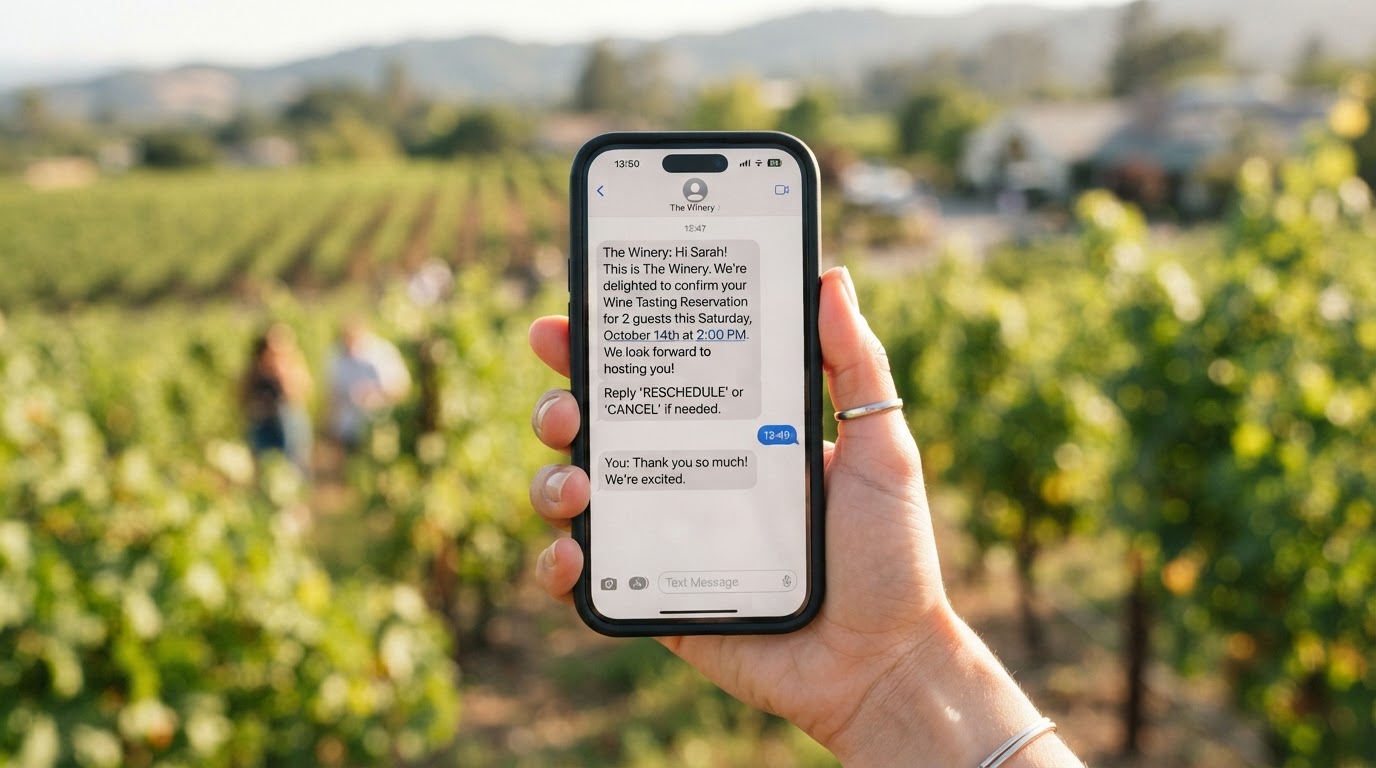
A useful first confirmation message might say:
The messages should sound like the winery — not like a generic bot copied across dozens of businesses.
Reserve More Tastings, Not More Staff
We'll map your winery's reservation process, wire the booking automation, and connect it to your calendar and CRM — done-for-you on a flexible monthly subscription that keeps your team in control.
06What Systems Can Be Connected?
A winery automation system may connect website chat, business phone and text messaging, a reservation calendar, a CRM, an email marketing platform, wine-club software, an e-commerce system, and internal employee notifications. Replacing every existing platform is rarely necessary. A better approach is to connect the systems that already work and eliminate duplicate entry between them.
| System | What It Does | Typical Integration |
|---|---|---|
| Website chat | Captures visitor questions and bookings | Embedded assistant with approved answers |
| Business phone & SMS | Handles calls, texts, and reminders | Number with automation triggers |
| Reservation calendar | Source of truth for availability | Direct calendar sync |
| CRM | Stores guest details and tags | Native or webhook connection |
| Email marketing | Sends confirmations and follow-ups | Triggered on booking events |
| Wine-club software | Manages membership and allocations | Lookup and update by member ID |
| E-commerce | Handles wine orders and shipping | Event inquiry routing only |
| Employee notifications | Alerts staff to handoffs | Slack, SMS, or email routing |
Our workflow and integration automation service handles these connections so a reservation created in one system automatically appears in every other system that needs it.
07How to Implement Winery Booking Automation
A reliable implementation normally follows these stages:
Step 1: Map the current guest journey. Document how guests currently ask questions, request tastings, receive confirmations, change reservations, and receive follow-up.
Step 2: Establish one source of truth. Identify the authoritative calendar, pricing information, visitor policies, and contact database.
Step 3: Define booking rules. Set business hours, required lead time, maximum party sizes, blocked dates, cancellation rules, and approval requirements.
Step 4: Build the human handoff. Determine which requests require staff review, who receives them, and what information should accompany each alert.
Step 5: Test realistic questions. Test normal questions, ambiguous requests, and unusual scenarios. Confirm that the assistant refuses to guess when approved information is unavailable.
Step 6: Measure meaningful outcomes. Monitor inquiry response time, inquiry-to-booking rate, incomplete reservation requests, staff handoffs, reschedules and cancellations, workflow errors, and guest complaints and opt-outs.
Our automation audit and consulting service can scope this end-to-end before you commit to a build.
08SMS Consent and Compliance for Wineries
Because wineries collect phone numbers for reservations and reminders, consent matters — especially given that wine is an age-restricted product. At a minimum:
- Clearly identify the winery in every message
- Explain the purpose of the conversation
- Provide opt-out instructions and honor STOP requests promptly
- Separate transactional reservation messages from recurring wine-club marketing
- Only send promotional messages to guests who gave explicit marketing consent
- Never imply that a reservation authorizes ongoing promotional texts
- Keep customer information secure
A reservation confirmation related directly to the guest's booking is different from enrolling that person in a long-term wine-club promotional campaign. Have your specific workflow and disclosure language reviewed by qualified counsel. The Federal Communications Commission publishes consumer-facing guidance on the Telephone Consumer Protection Act that is a useful starting point, and the Alcohol and Tobacco Tax and Trade Bureau (TTB) provides guidance on advertising and promotional rules for wineries.
09How to Measure Whether It Works
The goal is not simply to automate more bookings. It is to convert more inquiries into confirmed visits without adding staff burden. Track the following:
- Inquiry response time
- Inquiry-to-booking rate
- Incomplete reservation requests
- Staff handoffs
- Reschedules and cancellations
- Workflow errors
- Guest complaints and opt-outs
Compare these measurements with a baseline from before the automation was launched. For example, if the winery received 60 reservation inquiries during the previous month, determine how many were answered within an hour, how many converted to confirmed bookings, and how many were lost to slow response. After launching booking automation, compare the same stages. This shows whether the workflow produces real business value instead of merely generating activity — the same measurement discipline we describe in our small business automation guide.
10Build a Better Booking Experience
Madera wineries do not need to choose between great hospitality and fast response. The right automation handles the repetitive booking work — questions, intake, confirmations, reminders, and routing — so tasting-room employees can spend their time with the guests in front of them instead of the phone ringing in the back.
Wootomatic designs AI, CRM, and workflow automation for wineries and other service-oriented businesses in Madera. We can map your existing reservation process, identify the highest-value automation opportunities, and build a system that keeps employees in control. Explore appointment automation for Madera businesses, learn about AI chatbots and voice assistants, or review our pricing and plans to see how a managed subscription fits a working winery's budget.
Key Takeaways
- AI booking automation connects chat, SMS, and phone to a winery's calendar and CRM so guests get instant answers and staff handle only the exceptions.
- Tasting reservation intake, common visitor questions, confirmations, reminders, private-event qualification, and post-visit follow-up can all be automated — while alcohol-service and custom-pricing decisions stay human.
- The system must never invent availability, policies, wine information, or pricing; questions outside its approved knowledge should transfer to an employee.
- Connect the systems that already work rather than replacing them — one source of truth for the calendar, clear booking rules, and a defined human handoff are the foundation.
- Reservation consent is not marketing consent: keep transactional messages separate from wine-club promotions and only send recurring marketing to guests who opted in.
Frequently Asked Questions

Written by Moise
Founder & Lead Automation ArchitectMoise is the founder and lead automation architect at Wootomatic. With over a decade of hands-on experience designing, implementing, and maintaining high-throughput business automations, CRM pipelines, and custom AI agents, he has architected mission-critical workflows for hundreds of appointment-based and field-service businesses. His focus is on resilient, monitored systems that produce measurable ROI without fragile software bloat.
Put This Into Practice
We build and manage these automations for service businesses on a flexible monthly subscription. Explore the related service to see how it works:


